IT Services & Computer Repair in Port Charlotte, FL | ITTECH 2GO

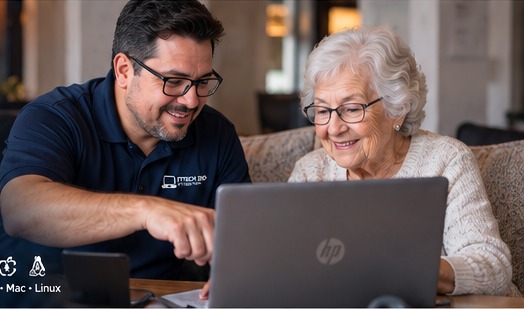
IT Services, Computer Repair & Senior Computer Tutoring in Port Charlotte, North Port, Punta Gorda, Venice & Sarasota

ITTECH 2GO provides professional computer repair, IT support, data recovery, Wi-Fi troubleshooting, printer setup, QuickBooks support, security camera setup, WordPress website services, and patient computer training for seniors, homeowners, and small businesses. Serving Port Charlotte, North Port, Punta Gorda, Venice, Sarasota, Englewood, Nokomis, Osprey, Rotonda West, Wellen Park, Warm Mineral Springs, Charlotte Harbor, Murdock, Deep Creek, and nearby areas within approximately 30 miles.

28+ years of experience, senior-friendly support, on-site and remote help, Windows/Mac/Linux, small business support.

Services we Provide

-Data Services-

Data Recovery Services
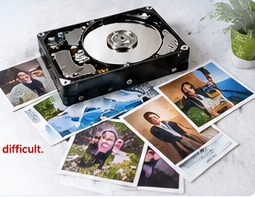
Help recovering important files, photos, documents, and business data from computers, hard drives, USB drives, and other storage devices.

Deleted File Recovery
Assistance recovering files that were accidentally deleted from a computer, external drive, or storage device.

Hard Drive Data Recovery
Help retrieving data from internal hard drives that are failing, corrupted, or no longer showing files properly.

External Hard Drive Recovery
Recovery support for external USB hard drives that are not opening, not recognized, or showing missing files.

USB Flash Drive Recovery
Help recovering files from damaged, unreadable, or accidentally formatted USB flash drives.

SD Card Recovery
Assistance recovering photos, videos, and documents from SD cards used in cameras, phones, or other devices.

Computer Data Transfer
Transfer important files, folders, photos, documents, and settings from one computer to another.

Old Computer to New Computer Transfer
Move personal or business data from an old computer to a new desktop or laptop.

Mac to PC Data Transfer
Transfer files, photos, and documents from an Apple Mac computer to a Windows PC.

PC to Mac Data Transfer
Move data from a Windows computer to a Mac, including documents, photos, downloads, and personal files.

Phone Photo and File Transfer
Help moving pictures, videos, contacts, and files from a smartphone to a computer or backup drive.

Backup Setup
Set up a reliable backup system to protect important files from loss, damage, or computer failure.

Automatic Backup Setup
Configure automatic backups so your files are saved regularly without needing to remember to do it manually.

Cloud Backup Setup
Set up cloud backup services to safely store important files online and access them from multiple devices.

Google Drive Setup
Help setting up Google Drive for file storage, sharing, backup, and organization.

OneDrive Setup
Configure Microsoft OneDrive to back up documents, desktop files, photos, and business files.

iCloud Setup
Set up iCloud for Apple devices to sync photos, contacts, files, and backups.

Dropbox Setup
Help setting up Dropbox for file storage, sharing, and backup across computers and mobile devices.

External Drive Backup Setup
Configure an external hard drive backup system to protect important personal or business files.

Data Organization
Organize files, folders, photos, documents, and downloads so they are easier to find and manage.

File Cleanup and Organization
Clean up messy folders, remove unnecessary files, and organize documents into a better structure.

Duplicate File Cleanup
Find and remove duplicate photos, documents, and files to save space and reduce confusion.

Photo and Video Organization
Organize digital photos and videos by date, folder, event, or device for easier access.

Document Scanning Help
Help scanning paper documents and saving them digitally on your computer or cloud storage.

Scan to PDF Setup
Set up your scanner or printer to scan documents directly into PDF format.

Email Backup Help
Help backing up important emails, contacts, and attachments from Outlook, Gmail, or other email accounts.

Outlook Data Backup
Backup Outlook emails, contacts, calendars, and PST files to protect important communication records.

QuickBooks Backup and Restore
Help backing up and restoring QuickBooks company files to prevent business data loss.

Computer Migration Services
Move files, programs when possible, settings, and user data from an old computer to a new one.

Data Security and Privacy Help
Help protect sensitive files with better passwords, secure backups, privacy settings, and safe storage practices.

-Preventive Maintenance-

Computer Tune-Up
Improve your computer’s speed, performance, and reliability with a complete system checkup and cleanup.

Laptop Tune-Up
Optimize your laptop so it runs faster, starts quicker, and performs better for daily use.

Desktop Maintenance
Keep your desktop computer clean, updated, secure, and running properly.

Slow Computer Cleanup
Remove unnecessary files, startup programs, and system clutter that may be slowing down your computer.

Startup Optimization
Improve boot time by reviewing and disabling unnecessary programs that start automatically.

Software Updates
Make sure important programs are updated to improve security, stability, and compatibility.

Windows Updates
Check and install Windows updates to help keep your system secure and working correctly.

Mac Updates
Review and install Apple macOS updates to improve security, performance, and reliability.

Driver Updates
Update hardware drivers for printers, video, audio, Wi-Fi, and other devices when needed.

Antivirus Checkup
Review your antivirus protection to make sure your computer is properly protected.

Malware Scan
Scan your computer for malware, spyware, unwanted programs, and other security threats.

Virus Prevention
Set up basic protection and safe practices to reduce the risk of viruses and infections.

Security Software Setup
Install, configure, or review security software to help protect your computer and personal data.

Computer Health Check
Inspect system performance, storage, updates, security, and common issues before they become serious problems.

Hard Drive Health Check
Check your hard drive for warning signs of failure, errors, or performance problems.

SSD Health Check
Review the health and performance of your solid-state drive to help prevent unexpected data loss.

Memory and Performance Check
Check your computer’s memory usage and performance to identify slowdowns or possible upgrade needs.

Disk Cleanup
Remove temporary files, old updates, recycle bin items, and unnecessary system files to free up space.

Temporary File Cleanup
Clear temporary files that build up over time and may slow down your computer.

Browser Cleanup
Clean up browser history, cache, extensions, pop-ups, and unwanted toolbars.

Remove Unwanted Programs
Uninstall unnecessary, unused, or unwanted programs that may slow down your system.

Remove Pop-Ups and Toolbars
Remove unwanted browser toolbars, pop-ups, and search redirects that affect browsing.

System Backup Check
Review your backup system to make sure your important files are being protected.

Automatic Backup Verification
Check that scheduled backups are running correctly and saving the right files.

External Drive Backup Check
Confirm that your external hard drive backup is working and has enough space.

Cloud Backup Check
Review cloud backup services like OneDrive, Google Drive, iCloud, or Dropbox to confirm files are syncing properly.

Printer and Scanner Checkup
Check printer and scanner connections, drivers, software, and basic functionality.

Wi-Fi and Network Checkup
Review your Wi-Fi connection, router settings, signal strength, and network performance.

Router Security Check
Check router settings, passwords, updates, and Wi-Fi security to help protect your home or business network.

Email Security Check
Review email settings, spam issues, suspicious messages, and basic account security.

Password Safety Review
Help review password habits and recommend safer ways to manage and protect accounts.

Scam Protection Review
Teach basic warning signs of online scams, fake emails, pop-ups, and suspicious phone calls.

Computer Safety Training
Provide simple guidance on how to use your computer safely and avoid common online threats.

QuickBooks Backup Check
Verify that QuickBooks company files are being backed up properly to avoid business data loss.

Business Computer Maintenance
Regular maintenance for small business computers to reduce downtime and improve reliability.

Monthly IT Maintenance
Ongoing monthly checkups to keep computers updated, protected, backed up, and running smoothly.

Quarterly Computer Maintenance
Scheduled maintenance every few months to prevent problems and keep systems healthy.

Remote Computer Maintenance
Perform many maintenance tasks remotely, including updates, cleanup, security checks, and troubleshooting.

On-Site Preventive Maintenance
In-person maintenance for computers, printers, networks, backups, and other technology needs.

-Education and Training-

Senior Computer Training
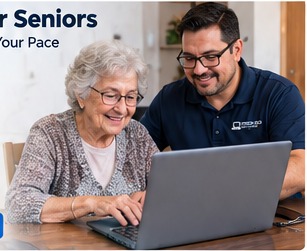
Patient, one-on-one computer training designed to help seniors feel more comfortable and confident using technology.

Computer Lessons for Seniors
Friendly lessons for seniors who want to learn email, internet browsing, printing, scanning, online forms, and basic computer skills.

Basic Computer Classes
Simple beginner lessons covering how to use a computer, mouse, keyboard, files, folders, internet, and email.

One-on-One Computer Training
Personalized training based on your needs, skill level, and the technology you use every day.

Beginner Computer Lessons
Step-by-step lessons for people who are new to computers or need help understanding the basics.

Windows Training
Learn how to use Windows, manage files, install programs, adjust settings, and troubleshoot common issues.

Mac Computer Training
Training for Apple Mac users, including Finder, Safari, Mail, photos, iCloud, system settings, and basic Mac navigation.

Linux Basic Training
Basic Linux training for users who want help understanding the desktop, files, updates, software, and common commands.

Internet Basics Training
Learn how to browse the internet, search safely, use websites, avoid scams, and find information online.

Email Training
Learn how to send, receive, organize, search, and manage emails safely and confidently.

Gmail Training
Help learning Gmail features like inbox organization, attachments, contacts, spam, search, and security settings.

Outlook Training
Training for Microsoft Outlook, including email, contacts, calendars, attachments, folders, and basic troubleshooting.

Smartphone and Tablet Training
Learn how to use your phone or tablet for calls, messages, apps, photos, email, internet, and video calls.

iPhone Training
Help using iPhone features such as contacts, photos, messages, FaceTime, apps, settings, iCloud, and backups.

Android Phone Training
Training for Android phones, including apps, contacts, photos, messages, email, settings, and Google services.

iPad Training
Learn how to use an iPad for internet, email, photos, apps, video calls, reading, and everyday tasks.

Printer and Scanner Training
Learn how to print, scan, copy, change settings, replace ink or toner, and solve basic printer problems.

How to Scan Documents
Step-by-step help scanning documents, saving them as files, and sending them by email.

Online Forms Help
Assistance learning how to complete online forms, upload documents, and submit information safely.

Online Bill Pay Training
Learn how to safely use online bill pay, review accounts, make payments, and avoid common mistakes.

Video Call Training
Learn how to join and use video calls for family, doctors, meetings, classes, and business.

Zoom Training
Help learning how to join Zoom meetings, use the camera and microphone, share screens, and adjust settings.

Google Meet Training
Training on how to join or host Google Meet video calls using a computer, tablet, or phone.

Social Media Basics
Learn the basics of using social media safely, including profiles, messages, privacy, photos, and posts.

Facebook Training
Help using Facebook to connect with family, post updates, manage privacy, avoid scams, and use Marketplace safely.

Photo and File Management Training
Learn how to organize, move, rename, copy, delete, and back up photos and files.

Cloud Storage Training
Learn how to use cloud storage to save, access, share, and protect files from different devices.

Google Drive Training
Help using Google Drive to store files, organize folders, share documents, and access files online.

OneDrive Training
Learn how to use Microsoft OneDrive to sync, back up, share, and manage files across devices.

iCloud Training
Training for Apple iCloud, including photos, files, backups, contacts, and syncing between Apple devices.

Online Safety Training
Learn safe internet habits, how to avoid fake websites, protect personal information, and recognize online risks.

Scam Prevention Training
Training to help identify scam emails, fake pop-ups, suspicious calls, unsafe links, and fraudulent messages.

Password Safety Training
Learn how to create strong passwords, manage accounts safely, and use secure password habits.

AI Training for Beginners
Learn the basics of artificial intelligence tools and how they can help with writing, searching, learning, and everyday tasks.

ChatGPT Training
One-on-one help learning how to use ChatGPT for questions, emails, documents, business ideas, learning, and productivity.

Small Business Technology Training
Training for small business owners who need help using computers, email, websites, QuickBooks, printers, backups, and online tools.

QuickBooks Basic Training
Learn basic QuickBooks tasks such as company setup, invoices, backups, reports, customer records, and daily use.

Website Editing Training
Learn how to make simple website updates, edit text, replace images, and manage basic website content.

WordPress Training
Training on how to use WordPress to edit pages, update content, manage media, and maintain a business website.

Elementor Training
Learn how to edit pages using Elementor, including text, images, buttons, sections, layouts, and basic design changes.


FAQ

General IT Services FAQ

Do you offer IT services in Port Charlotte, FL?

Yes. ITTECH 2GO provides professional IT services in Port Charlotte, FL, including computer repair, printer setup, Wi-Fi troubleshooting, data recovery, backup setup, QuickBooks support, security camera setup, WordPress website help, and computer training.

Who provides computer repair near Port Charlotte, FL?

ITTECH 2GO provides local computer repair near Port Charlotte, FL for homes, seniors, and small businesses. Services include slow computer repair, virus removal, software troubleshooting, hardware support, data transfer, and new computer setup.

Do you offer computer repair in North Port, FL?

Yes. ITTECH 2GO provides computer repair and IT support in North Port, FL, including Windows support, Mac support, printer setup, Wi-Fi troubleshooting, data recovery, and computer tutoring.

Do you provide IT services in Punta Gorda, FL?

Yes. ITTECH 2GO provides IT services in Punta Gorda, FL for residential and small business customers, including computer repair, network support, QuickBooks help, data backup, printer setup, and security camera support.

Do you provide IT services in Venice and Sarasota?

Yes. ITTECH 2GO serves Venice, Sarasota, and nearby areas with professional computer repair, IT support, computer training, printer help, Wi-Fi setup, data services, and small business technology support.

What areas do you serve?

ITTECH 2GO serves Port Charlotte, North Port, Punta Gorda, Venice, Sarasota, Englewood, Nokomis, Osprey, Rotonda West, Wellen Park, Warm Mineral Springs, Charlotte Harbor, Murdock, Deep Creek, and nearby areas within approximately 30 miles of Port Charlotte, Florida.

Do you provide on-site computer support?

Yes. On-site computer support is available for homes, seniors, and small businesses. Services include computer troubleshooting, printer setup, Wi-Fi repair, data transfer, backups, training, and technology setup.

Do you offer remote computer support?

Yes. Many computer problems can be fixed remotely, including software issues, email setup, printer troubleshooting, updates, virus scans, cleanup, and basic training.

Do you help both residential and business customers?

Yes. ITTECH 2GO helps homeowners, seniors, remote workers, and small businesses with computer repair, IT support, training, backups, QuickBooks, printers, Wi-Fi, and website services.

How much experience do you have?

Adolfo Pallares has over 28 years of experience in computer repair, IT support, hardware, software, Windows, Mac, Linux, networking, servers, security cameras, cabling, QuickBooks, and technology training.

Computer Repair FAQ

Can you fix a slow computer?

Yes. Slow computers can often be improved by removing unnecessary programs, cleaning temporary files, checking startup programs, scanning for malware, installing updates, and reviewing hardware performance.

Why is my computer running slow?

A computer can run slow because of too many startup programs, low storage, malware, outdated software, failing hardware, old hard drives, too many background apps, or lack of maintenance.

Do you repair laptops?

Yes. ITTECH 2GO provides laptop repair and troubleshooting for Windows laptops, MacBooks, and other portable computers.

Do you repair desktop computers?

Yes. Desktop computer repair is available for home and business users, including hardware troubleshooting, software issues, upgrades, virus removal, and data transfer.

Do you work on Windows computers?

Yes. ITTECH 2GO supports Windows computers, including troubleshooting, updates, virus removal, printer setup, email setup, data transfer, backups, and training.

Do you work on Apple Mac computers?

Yes. ITTECH 2GO provides Apple Mac support, including Mac setup, updates, file transfer, printer setup, iCloud help, email setup, backup setup, and basic Mac training.

Do you work on Linux computers?

Yes. Basic Linux support is available, including installation help, updates, troubleshooting, file management, software setup, and beginner Linux training.

Can you help set up a new computer?

Yes. New computer setup includes connecting the device, installing updates, setting up email, transferring files, installing printers, configuring backups, and helping you learn how to use the new system.

Can you transfer files from my old computer to my new computer?

Yes. ITTECH 2GO can transfer documents, photos, videos, downloads, desktop files, and other important data from your old computer to your new computer.

Can you help me decide if I should repair or replace my computer?

Yes. ITTECH 2GO can inspect your computer and help you decide whether it is better to repair, upgrade, or replace it based on age, speed, hardware condition, and your needs.

Virus, Malware, and Security FAQ

Do you remove viruses from computers?

Yes. ITTECH 2GO provides virus and malware removal for computers, including scans, cleanup, security review, and recommendations to help reduce future infections.

Can you remove pop-ups from my computer?

Yes. Pop-ups, browser redirects, unwanted toolbars, and suspicious extensions can often be removed by cleaning the browser, uninstalling unwanted programs, and scanning for malware.

Why do I keep getting fake virus warnings?

Fake virus warnings often come from scam websites, browser notifications, unwanted extensions, or malware. ITTECH 2GO can help remove them and show you how to avoid them.

Can you help protect me from online scams?

Yes. Scam protection training is available, especially for seniors and beginners. Training includes fake emails, suspicious pop-ups, phone scams, unsafe links, fake tech support calls, and safe internet habits.

Can you check if my computer is safe?

Yes. A computer security check can include antivirus review, malware scan, updates, browser cleanup, password safety review, and backup verification.

Do you install antivirus software?

Yes. ITTECH 2GO can help install, configure, or review antivirus and security software to help protect your computer and personal data.

Can you help if I clicked on a suspicious link?

Yes. ITTECH 2GO can inspect your computer, check your browser, scan for malware, review email security, and recommend password changes if needed.

Can you help if someone says my computer was hacked?

Yes. ITTECH 2GO can check your computer, review suspicious activity, scan for malware, inspect remote access software, and help secure accounts when possible.

Data Recovery, Backup, and Transfer FAQ

Do you offer data recovery services?

Yes. ITTECH 2GO provides data recovery help for deleted files, computers, external hard drives, USB drives, SD cards, and other storage devices when recovery is possible.

Can you recover deleted files?

Yes. Deleted files may be recoverable depending on how they were deleted and whether the storage device has been used since deletion.

Can you recover photos from an SD card?

Yes. ITTECH 2GO can help recover photos and videos from SD cards used in cameras, phones, and other devices when recovery is possible.

Can you recover files from an external hard drive?

Yes. External hard drive recovery is available for drives that are not opening, not recognized, showing errors, or missing files.

Can you recover files from a USB flash drive?

Yes. ITTECH 2GO can help recover files from USB flash drives that are damaged, unreadable, accidentally deleted, or formatted.

Can you transfer data from PC to Mac?

Yes. ITTECH 2GO can help transfer documents, photos, downloads, and other files from a Windows PC to a Mac.

Can you transfer data from Mac to PC?

Yes. ITTECH 2GO can help transfer files from an Apple Mac computer to a Windows computer.

Can you back up my computer?

Yes. Backup setup is available using external hard drives, cloud storage, OneDrive, Google Drive, iCloud, Dropbox, or other backup options.

Can you set up automatic backups?

Yes. ITTECH 2GO can configure automatic backups so your important files are saved regularly.

Can you organize my photos and files?

Yes. File and photo organization services are available to help clean up folders, organize documents, remove duplicates, and make files easier to find.

Can you help scan documents to PDF?

Yes. ITTECH 2GO can help set up scanning, teach you how to scan documents, and save files as PDFs.

Printer, Scanner, and Device Setup FAQ

Do you set up printers?

Yes. ITTECH 2GO can set up wired and wireless printers for homes and small businesses.

Can you fix a printer that is not printing?

Yes. Printer problems can often be caused by connection issues, driver problems, Wi-Fi issues, paper jams, offline settings, or software errors.

Can you connect my printer to Wi-Fi?

Yes. Wireless printer setup is available for connecting printers to home or business Wi-Fi networks.

Can you help with scanner setup?

Yes. ITTECH 2GO can set up scanners, printer scanning software, scan-to-PDF, and scan-to-email features.

Why does my printer say offline?

A printer may show offline because of Wi-Fi problems, wrong default printer settings, driver issues, power problems, or connection changes. ITTECH 2GO can troubleshoot and fix the issue.

Can you teach me how to scan documents?

Yes. One-on-one training is available to teach you how to scan documents, save them, email them, and organize them.

Wi-Fi, Network, and Internet FAQ

Do you fix Wi-Fi problems?

Yes. ITTECH 2GO can troubleshoot Wi-Fi problems, weak signal, slow internet, router issues, password problems, and device connection issues.

Can you set up a home Wi-Fi network?

Yes. Home Wi-Fi setup is available for routers, modems, wireless devices, printers, smart TVs, computers, and mobile devices.

Can you help improve weak Wi-Fi signal?

Yes. Wi-Fi signal can often be improved by checking router placement, settings, interference, extenders, mesh systems, and device connections.

Can you troubleshoot my router?

Yes. Router troubleshooting includes checking internet connection, Wi-Fi settings, passwords, security, firmware, and connected devices.

Do you help small businesses with networks?

Yes. ITTECH 2GO provides small business network support, including computers, printers, routers, Wi-Fi, cabling, backups, and basic server support.

Can you install Ethernet cabling?

Yes. ITTECH 2GO provides cabling and network wiring support, including Ethernet cable installation and terminations.

Senior Computer Tutoring FAQ

Do you teach seniors how to use computers?

Yes. ITTECH 2GO provides patient computer tutoring for seniors, including basic computer skills, email, internet, printing, scanning, online forms, photos, video calls, and scam prevention.

Do you offer computer lessons for beginners?

Yes. Beginner computer lessons are available for anyone who wants to learn step by step at their own pace.

Can you teach me how to use email?

Yes. Email training includes sending and receiving messages, attachments, folders, contacts, spam, search, and account safety.

Can you teach me Gmail?

Yes. Gmail training is available, including inbox organization, sending attachments, contacts, search, spam, and security settings.

Can you teach me Outlook?

Yes. Outlook training is available for email, contacts, calendars, folders, attachments, and basic troubleshooting.

Can you teach me how to use my iPhone?

Yes. iPhone training includes calls, messages, photos, contacts, apps, FaceTime, settings, iCloud, and backups.

Can you teach me how to use my Android phone?

Yes. Android phone training includes contacts, messages, photos, apps, email, internet, settings, and Google services.

Can you teach me how to use an iPad?

Yes. iPad training is available for internet, email, photos, apps, video calls, reading, and everyday tasks.

Can you teach me how to use Zoom?

Yes. Zoom training includes joining meetings, using the camera and microphone, muting, screen sharing, and meeting settings.

Can you help me fill out online forms?

Yes. ITTECH 2GO can help you learn how to complete online forms, upload documents, save files, and submit information safely.

Can you teach me how to avoid online scams?

Yes. Scam prevention training is available to help recognize fake emails, pop-ups, unsafe links, suspicious phone calls, and fake tech support messages.

AI and ChatGPT Training FAQ

Do you teach people how to use ChatGPT?

Yes. ITTECH 2GO provides beginner ChatGPT training for seniors, homeowners, and small business owners.

Can you teach me how AI can help my business?

Yes. AI training can help small business owners learn how to write emails, create website content, answer customer questions, make marketing posts, organize ideas, and improve productivity.

Can seniors learn how to use AI?

Yes. AI training for seniors is available in a simple, patient, step-by-step way.

What can ChatGPT help me with?

ChatGPT can help with writing emails, understanding topics, creating lists, learning new skills, preparing documents, brainstorming business ideas, and improving communication.

Can you teach me how to ask better questions in ChatGPT?

Yes. ITTECH 2GO can teach you how to write better prompts so ChatGPT gives clearer and more useful answers.

QuickBooks FAQ

Do you help with QuickBooks?

Yes. ITTECH 2GO provides QuickBooks support, including setup, backup, restore, company file help, and basic training.

Do you support QuickBooks Enterprise?

Yes. ITTECH 2GO has experience with QuickBooks Enterprise Edition, including setup, backup, restore, and troubleshooting.

Can you help back up my QuickBooks company file?

Yes. QuickBooks backup help is available to protect your business records and reduce the risk of data loss.

Can you restore a QuickBooks backup?

Yes. ITTECH 2GO can help restore QuickBooks company files from backup when possible.

Can you teach me basic QuickBooks?

Yes. Basic QuickBooks training is available for invoices, customers, reports, backups, company setup, and daily use.

Can you move QuickBooks to a new computer?

Yes. ITTECH 2GO can help move QuickBooks data to a new computer and assist with backup and restore.

Small Business IT Support FAQ

Do you provide IT support for small businesses?

Yes. ITTECH 2GO provides small business IT support, including computers, printers, Wi-Fi, networks, QuickBooks, backups, email, websites, security cameras, cabling, and general technology troubleshooting.

Can you help my business set up computers?

Yes. Business computer setup is available, including updates, user accounts, software installation, printer setup, email setup, and backup configuration.

Can you help with business email setup?

Yes. ITTECH 2GO can help set up business email accounts, Outlook, Gmail, domain email, and basic email troubleshooting.

Can you help with Microsoft 365 or Google Workspace?

Yes. Basic setup and support is available for Microsoft 365, Outlook, OneDrive, Gmail, Google Drive, and related business tools.

Can you help my business with backups?

Yes. Business backup setup can include external drive backups, cloud backups, QuickBooks backups, OneDrive, Google Drive, and file organization.

Can you help reduce computer downtime?

Yes. Preventive maintenance, updates, backups, security checks, and regular support can help reduce unexpected computer problems and downtime.

Do you offer monthly IT maintenance?

Yes. Monthly IT maintenance is available for customers who want regular computer checkups, updates, backups, security reviews, and performance optimization.

Security Cameras, Cabling, and Hardware FAQ

Do you install security cameras?

Yes. ITTECH 2GO provides security camera setup and support for homes and small businesses.

Can you help with camera system troubleshooting?

Yes. Camera system troubleshooting may include connection issues, app setup, recording problems, network settings, and viewing cameras remotely.

Can you run network cables?

Yes. Cabling and network wiring services are available for homes and small businesses.

Can you terminate Ethernet cables?

Yes. Ethernet cable terminations and network cabling support are available.

Can you help set up a POS system?

Yes. ITTECH 2GO has experience supporting POS systems, including terminals, connections, printers, and basic troubleshooting.

Can you help with servers?

Yes. Basic server support is available for small businesses, including setup, troubleshooting, backups, and network access.

Website and WordPress FAQ

Do you design websites?

Yes. ITTECH 2GO provides WordPress website design services for small businesses and local professionals.

Can you update my WordPress website?

Yes. WordPress website updates are available, including text changes, image updates, page edits, plugins, forms, and basic maintenance.

Can you help with Elementor?

Yes. Elementor support is available for editing pages, sections, text, images, buttons, layouts, and basic design updates.

Can you help set up a domain and email?

Yes. ITTECH 2GO can help with domain setup, business email setup, hosting help, DNS records, and website email configuration.

Can you help improve my website so customers can find me?

Yes. ITTECH 2GO can help improve website content, service pages, local keywords, FAQs, contact information, and structure so search engines and AI tools can better understand your business.

Can you create service pages for my business?

Yes. Service pages can be created for computer repair, senior tutoring, data recovery, printer setup, Wi-Fi help, QuickBooks support, small business IT, security cameras, and WordPress services.

Preventive Maintenance FAQ

What is preventive computer maintenance?

Preventive computer maintenance is regular computer care that helps keep your system faster, safer, updated, backed up, and more reliable.

Why should I do computer maintenance?

Regular maintenance can help prevent slow performance, virus infections, data loss, printer problems, update errors, and unexpected computer issues.

What is included in a computer tune-up?

A computer tune-up may include cleanup, updates, startup optimization, malware scan, browser cleanup, backup check, hard drive health check, and performance review.

How often should I service my computer?

Many home users benefit from computer maintenance every three to six months. Small businesses may benefit from monthly or quarterly maintenance.

Can you check if my backup is working?

Yes. Backup verification is available to confirm that your important files are being saved properly.

Can you check my hard drive health?

Yes. Hard drive and SSD health checks are available to look for warning signs of failure or data loss risk.

Can you remove unwanted programs?

Yes. ITTECH 2GO can remove unnecessary, unused, or unwanted programs that may slow down your computer.

Can you clean up my browser?

Yes. Browser cleanup includes removing unwanted extensions, toolbars, pop-ups, cached files, and suspicious settings.

Emergency and Convenience FAQ

Can you come to my home to fix my computer?

Yes. On-site computer help is available in Port Charlotte, North Port, Punta Gorda, Venice, Sarasota, and nearby areas.

Can you help me today?

Same-day or fast service may be available depending on schedule and location. Call or message ITTECH 2GO to request computer help.

Can you help me remotely?

Yes. Many problems can be handled remotely, including software troubleshooting, cleanup, email setup, printer support, updates, and training.

Do I need to bring my computer to you?

Not always. ITTECH 2GO can provide on-site or remote support depending on the issue.

Can you help if I am not good with technology?

Yes. ITTECH 2GO specializes in patient, friendly technology help for seniors, beginners, and anyone who needs step-by-step support.

Do you explain what you are doing?

Yes. ITTECH 2GO provides clear explanations and helps customers understand the problem, the solution, and how to avoid the same issue in the future.

Can you help me choose a new computer?

Yes. ITTECH 2GO can help you choose a computer based on your needs, budget, software, speed, storage, and whether you prefer Windows, Mac, or another option.

Can you help set up a computer after I buy it?

Yes. ITTECH 2GO can set up your new computer, transfer files, install updates, connect printers, configure email, and set up backups.

Send us a message

Need help with your computer, printer, Wi-Fi, email, QuickBooks, security cameras, or website? ITTECH 2GO provides friendly and professional technology support for homes, seniors, and small businesses in Port Charlotte, North Port, Punta Gorda, Venice, Sarasota, and nearby areas. Send a message today to request fast, reliable computer help.